

Social Media Content Calendar Template: Free Excel and Google Sheets Spreadsheet, Monthly Example and How to Fill It In
A social media content calendar template is a spreadsheet where every post has a date, content pillar, topic, format, platform, goal and status. The minimum version fits in seven columns. Teams add an owner, a UTM-tagged link and results. Below you can download a free Excel template that also opens in Google Sheets, with a sample month and dropdown lists inside.

Most content calendars start as a blank spreadsheet and get abandoned a week later. Either there are too many columns or not enough, and topics are written so vaguely that three days later nobody remembers what the post was about. A good template solves this up front. It has exactly as many fields as you need to read the plan at a glance and work from it.
This article includes a free social media content calendar template, a breakdown of every column and a filled-in example for one month.
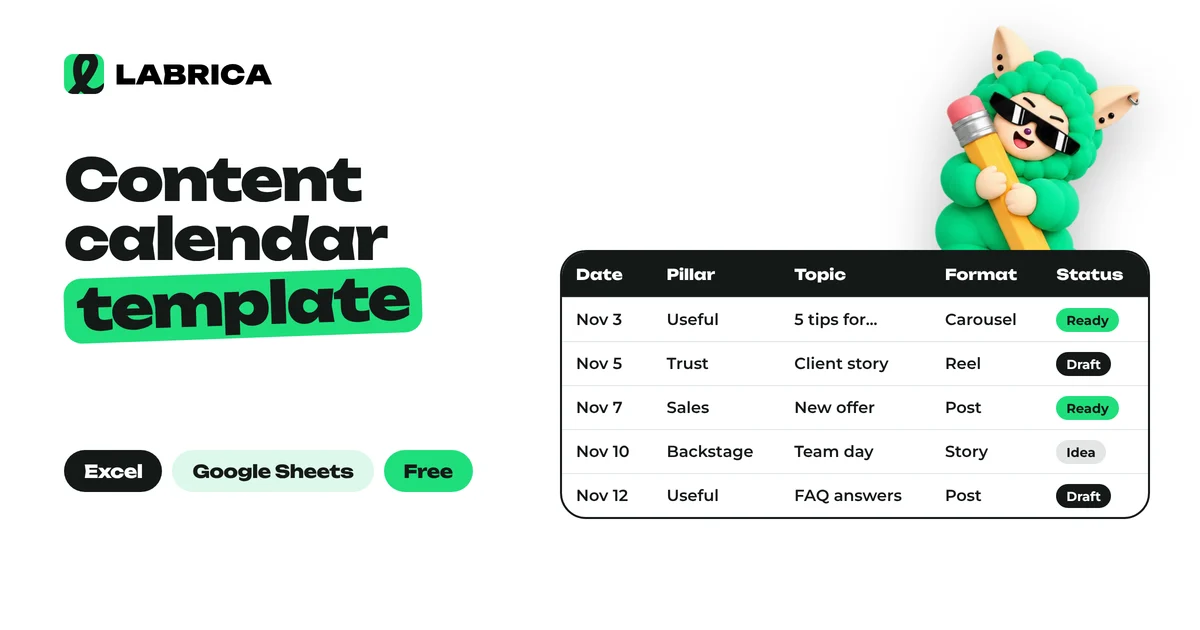
Download the content calendar template
Download the social media content calendar template for Excel. Free, no sign-up.
The file has three sheets:
- Content calendar: a monthly table with an example for a beauty salon, dropdowns for format, goal and status, a frozen header row and filters.
- Content pillars: five basic pillars with suggested shares and example topics.
- How to use: short step-by-step instructions.
To open the template in Google Sheets, upload it via File, then Import. Dropdowns and formatting are preserved.
Which columns a content calendar needs
The minimum set is seven columns. That's enough to work solo.
| Column | What to write | Why |
|---|---|---|
| Date and time | When the post goes out | Shows the rhythm and empty days |
| Content pillar | Value, trust, sales, engagement | Topic balance across the month |
| Topic | One sentence: what the reader will learn | Still clear a week later |
| Format | Post, carousel, video, poll | Shows what needs to be prepared |
| Platform | Instagram*, Telegram, TikTok | Where to publish |
| Goal | Reach, engagement, leads | How to judge the post later |
| Status | Draft, ready, published | What's in progress and what isn't |
For a team, add four more:
- Owner: who prepares the post.
- UTM link: so clicks from the post show up in Google Analytics 4. The guide to UTM parameters for social media shows how to build one.
- Result: reach, reactions and clicks one week after publishing.
- Notes: edits, ideas, things not to forget.
Don't add columns "just in case." Every extra field is one more reason not to fill the spreadsheet in at all.
How to write topics so the calendar makes sense
The weakest part of most content calendars is the Topic column. People write "promo post" or "value," and a week later nobody remembers what they meant.
Compare:
| Weak | Strong |
|---|---|
| Hair care post | How to make hair color last longer at home: 5 rules |
| Stylist | Meet Emma, our colorist, and her favorite technique |
| Promo | Holiday gift cards: terms and deadline |
| Video | One-minute styling: from wet hair to finished look |
A good topic is almost a ready headline. You can start writing the post from it or hand it to AI as a task.
Monthly content calendar example
Here's a filled-in calendar for a small beauty salon posting four times a week. The same example is in the template.
| Date | Pillar | Topic | Format | Platform | Goal |
|---|---|---|---|---|---|
| Mon, week 1 | Value | How to make hair color last longer at home: 5 rules | Carousel | Reach | |
| Wed, week 1 | Trust | Meet our colorist and her favorite technique | Photo post | Telegram | Trust |
| Fri, week 1 | Sales | Open slots this weekend | Post | All platforms | Leads |
| Sat, week 1 | Process | One-minute styling | Short video | Instagram Reels, TikTok | Reach |
| Mon, week 2 | Trust | Before and after: from dark to warm blonde | Carousel | Trust | |
| Wed, week 2 | Engagement | Vote: which nail design should we do for the demo | Poll | Telegram | Engagement |
| Fri, week 2 | Trust | A client review, shared with her permission | Post | Facebook* | Trust |
| Sat, week 2 | Value | Why nails get brittle in the fall | Carousel | Instagram, Telegram | Reach |
Notice the rhythm. The sales post lands on Friday before the weekend, when people plan appointments, and value and behind-the-scenes posts alternate so the feed doesn't turn into a price list. For more post types by category, see social media post ideas.
How to fill in the template step by step
- Start with the month's goal. Sell a new service, grow a channel, fill the stylists' schedules. The goal sets the share of sales posts.
- Pick 4 to 6 content pillars. If that's hard, use the set from content pillars examples.
- Set the rhythm. For most businesses, 3 or 4 posts a week on the main platform is enough. See how often to post on social media.
- Enter dates and distribute pillars. Make sure one pillar doesn't run two or three times in a row.
- Write the topics. Each one is a single sentence that makes the post clear.
- Add timely hooks. Holidays, awareness days and seasonal dates relevant to your audience.
- Fill in formats and platforms.
- Enter results a week after publishing. Once a month, check which pillars and formats perform better and change the plan.
Excel, Google Sheets or a content calendar tool
| Excel | Google Sheets | Content calendar tool | |
|---|---|---|---|
| Collaboration | By sending the file around | Online, with comments | Online, with roles and statuses |
| Copy and images | Separate | Separate, as links | Inside the post |
| Publishing | By hand | By hand | Automatic, on schedule |
| Post results | Entered by hand | Entered by hand | Pulled in automatically |
| Price | Part of the Office suite | Free | Paid |
A spreadsheet is great at the start and for one person. Once you have more than two platforms and several people working on posts, the spreadsheet drifts from reality: a post got moved on the network but not in the file, and edits got lost in a messenger.
At that point it makes sense to move the plan into a calendar where it both lives and gets published. In LABRICA, the content calendar is a monthly view where posts are dragged between days, each has a status from draft to scheduled, and posts go out automatically to Telegram, Instagram, Facebook, Threads*, X, TikTok, YouTube and other connected networks. The Studio suggests topics for your business and writes copy in your company's voice right away. How AI drafts a whole month is covered in the guide to the AI content calendar.
Editorial calendar vs content calendar: are they the same?
Almost. "Editorial calendar" usually refers to a plan for media outlets and larger teams. Besides social posts, it includes articles, newsletters, podcast episodes, submission deadlines and assigned editors. A social media content calendar is a subset of it. The template above works for both: add a "Channel" column with values like "social," "blog" and "newsletter," plus a "Due date" column.
Common mistakes in a content calendar spreadsheet
- Meaningless topics. "Product post" instead of a specific headline.
- Posts without a goal. You can't tell later whether they worked.
- A plan a year ahead. A detailed plan beyond one month almost always gets rewritten. For a quarter, content pillars and key dates are enough.
- A spreadsheet detached from reality. The post was moved, but the plan still shows the old date.
- Nobody records results. Without them, the plan never learns and repeats the same mistakes three months later.
*Instagram, Facebook and Threads belong to Meta Platforms Inc., which is designated an extremist organization in the Russian Federation.
Frequently asked questions
Where can I download a free social media content calendar template?
Right here: the Excel file link is at the top of this article. It's free and opens in Google Sheets via import.
What columns should a content calendar have?
Date and time, content pillar, topic, format, platform, goal and status. For a team, add owner, UTM link, result and notes.
How do you make a content calendar in Google Sheets?
Download the template and upload it via File, then Import, or create a sheet with the same columns. To work together, share it with colleagues by link.
How far ahead should a content calendar go?
A detailed plan works best for one month. For a quarter, content pillars, the goal and key dates are enough, and specific topics are better added closer to the publishing month.
Can you use LABRICA instead of a content calendar spreadsheet?
Yes. In LABRICA the plan lives in a calendar: posts are dragged between days, each has a status, and scheduled posts go out to connected social networks automatically. You can try it free.
Run your social media with LABRICA
Ideas, posts in your brand voice, images, a content calendar and auto-publishing to every network in one window. No card required to start.
- Brand scan of your site and accounts
- Posts and carousels in your brand voice
- Auto-posting to Instagram*, TikTok, X and more
- Analytics and UTM links

Keep reading
 Content planning
Social Media Post Ideas for Business: 66 Ideas by Category with Examples
Social media post ideas for business are easiest to find in six categories: educational posts (tips, myths, breakdowns), promotional posts (product, reviews, objections), engagement posts (polls, questions), games and interactive posts, behind the scenes (team, processes) and UGC, content made by customers. Below are 66 specific ideas with short examples for a bakery, a salon, an auto repair shop, a gym and other businesses.
 Content planning
Content Pillars: How to Build Them in 6 Steps, Plus 24 Content Pillar Examples by Goal
Content pillars are recurring post themes with a clear goal and format, such as "Stylist's tip every Friday". To build them, set your account goals, list your audience's questions and pain points, group them into 4 to 7 pillars, give each one a goal, format and day of the week, and review the results in your analytics once a month.
 Content planning
How Often to Post on Social Media and When: How to Find Your Own Posting Schedule
There is no universal best time to post on social media, because it depends on your audience. A practical starting point for a business is 3 to 5 posts a week on your main platform, and the timing should come from your own analytics. For 3 to 4 weeks, publish similar posts in different time slots, compare reach and engagement in the first hours and keep the slots that win.