

Social Media Analytics: Which Metrics to Track and What to Do With the Results
Social media analytics for a business comes down to five groups of metrics: reach, views, engagement rate (ER), clicks and follows. Each one answers its own question, from "does anyone see us" to "does social media bring in customers." Track them over time and by content pillar, and turn every conclusion into a specific change in the content calendar.

Social media analytics exists to answer three questions: what worked among the things you published, why it worked and what to do next. A good-looking report is a side effect. Most businesses look at follower counts and likes, see that things are "sort of growing" or "sort of dropping," and change nothing. This guide covers which social media metrics actually matter, how to read them together and how to turn numbers into decisions for next month.
Which social media metrics to track first
Platform dashboards show dozens of metrics. A business needs five groups that line up as a funnel: a person saw the post, stopped on it, reacted, went to the website, and stayed as a follower or became a customer.
| Metric | Question it answers | Where to find it | Warning sign |
|---|---|---|---|
| Reach | How many unique people saw the post | Post and account insights | Falls for several weeks in a row at the same posting frequency |
| Views | How many times content was shown or watched through | Post and video insights | Lots of impressions but short video watch time |
| Engagement rate (ER) | How well content hooks the audience | Calculated from reactions, comments, shares, saves | Reach grows while reactions stay flat |
| Clicks | Whether posts send people to the website, store or booking page | Short links, UTM parameters, website analytics | High ER but almost no clicks |
| Follows and unfollows | Whether the core audience is growing | Account insights | A spike in unfollows after a specific post or ad |
Reach
Reach is the number of unique users who were shown a post. It's a visibility metric: how willing the platform is to show your content. Reach can be organic (followers and recommendations) or paid (ads, influencer placements). Don't mix them in one report, or any month with ads will look like a content breakthrough.
Views
Views count impressions, not people: one person can view a post three times. In Telegram, views are the main metric a channel has. For video, the counter itself matters less than watch depth. If most people leave in the first seconds, the problem is the opening of the video, not the topic.
Engagement
Engagement rate shows what share of the audience reacted to content in some way: a like, comment, share or save. It's the main indicator of post quality. There are several formulas (by reach, by followers, by views), and the choice of formula changes the result. The calculations are covered in detail in what engagement rate is and how to calculate it.
Within engagement, it helps to weigh actions differently. A like is a light action. Comments, shares and saves signal more interest: the person wanted to argue, share it or come back to the post later.
Clicks
Clicks are the bridge between social media and money. Without them, you can't say whether posts bring in leads. Clicks are only counted honestly through tagged links: UTM parameters for social media show in your website analytics which network and which post a person came from. If tagging links by hand is a hassle, LABRICA creates short links with UTM tags for your posts.
Follows and unfollows
Follower growth on its own means little if unfollows grow with it. Look at net growth and at which posts or ad campaigns cause spikes in either direction.
How to read social media insights and draw conclusions
A single metric almost never gives you the answer. Conclusions come from combinations. Here are common ones and what they usually mean.
| What you see | Likely cause | What to try |
|---|---|---|
| Low reach, high ER | People who see the content like it, but the platform shows it to few | Post strong formats more often, check posting times, boost posts with ads |
| High reach, low ER | People saw the post, but it didn't hook them | Rewrite the first line, get closer to the audience's pain points, add a question |
| High ER, almost no clicks | No clear call to action, or the link is buried | Add a specific call to action and put the link near the top or middle |
| Lots of clicks, no leads | The problem is on the website or in the offer | Check the landing page, its speed and whether it matches the post's promise |
| Followers grow, views stay flat | The wrong audience arrived, for example after a giveaway | Look at where growth came from and don't repeat the mechanic without changes |
A few rules that save time:
- Compare like with like. Compare videos with videos, carousels with carousels, Telegram with Telegram. Different formats and platforms have different natural reach levels.
- Look at the trend, not a single point. One weak post is no reason to change strategy. A trend over 4 to 6 weeks is.
- Split content by pillar. The account's average ER hides the fact that one pillar carries everything while another hasn't worked for years.
- Note external events. Holidays, sales, platform outages, ads. Without notes, three months later you won't remember why there was a dip or a spike.
Social media metrics by business goal
The set of key metrics depends on why the business is on social media. If the goal isn't defined, any number looks "normal."
| Goal | Key metrics | Supporting metrics |
|---|---|---|
| Awareness for a new brand | Reach, follower growth | Views, shares |
| Loyalty and trust | ER, comments, saves | Share of repeat commenters |
| Sales and bookings | Clicks, leads with a UTM tag | ER of posts with an offer |
| Hiring | Clicks to job listings, applications | Reach of posts about the team |
Take a neighborhood bakery whose goal is to get locals to come in more often. The key metrics are reach in its own area and clicks to the menu or map, not followers from other cities. For a real estate agency, clicks to listings and viewing requests matter more. For a fitness club, it's trial class bookings from a link in the post.
Step by step: a monthly social media analysis
- Export data for the period. Reach, views, reactions, comments, shares, saves, clicks and follows for each post and each platform.
- Tag every post. Pillar, format (text, photo, carousel, video), post goal, day and time of publishing.
- Calculate averages by pillar and format. By group, not for the account as a whole.
- Find the top five and bottom five posts. Write down what they have in common: topic, first line, visuals, length, call to action.
- Write 3 to 5 conclusions. Each one in the format "observation, hypothesis, action."
- Move the actions into the content calendar. A conclusion that doesn't make it into the plan will be forgotten in a month.
- Check the hypotheses a month later. If it worked, keep it. If not, try the next one.
Manually exporting from ten dashboards takes the most time. In LABRICA, analytics for connected social networks is collected in one section: followers, views, reactions, ER, best posts and growth by platform. What's left is the part that can't be automated, which is thinking about the conclusions.
What to do with your analytics conclusions
A typical mistake is a report that ends with "reach went up by this much, ER went down." That's an observation. A good conclusion answers the question "what are we changing."
Examples of well-formed conclusions:
- Beauty salon. Observation: before-and-after posts collect noticeably more saves than promo roundups. Hypothesis: the audience cares about results more than discounts. Action: next month, two before-and-after posts a week, with promotions built into them instead of posted separately.
- Car repair shop. Observation: videos explaining breakdowns get watched to the end, but there are no clicks to booking. Hypothesis: there's no call to action and no link. Action: every video gets a short link to online booking in the description and the line "book a diagnostic."
- Real estate agency. Observation: listing roundups on Facebook* bring clicks, but on Telegram almost none. Hypothesis: the channel has a different audience that cares more about market analysis. Action: on Telegram, start a pillar with price breakdowns by neighborhood, and keep the roundups on Facebook.
Tip: keep a separate list of hypotheses with launch dates and results. After six months it's the most valuable document a social media team has, because it shows what definitely works for your audience and what doesn't.
If your conclusions are about posting times and frequency, see how often to post on social media. If you want to know whether your results are normal for your niche, social media competitor analysis will help.
If you need the numbers to evaluate a person or a contractor, see the separate guide to social media KPIs.
How to increase engagement when analytics shows a decline
When ER drops for a month straight, the content itself is usually to blame more often than the algorithm. Check in this order:
- The first line. If reach holds but reactions are few, people see the post but don't stop. Rewrite the opening so it has a question, a number or a concrete benefit.
- A reason to reply. A post with no question, choice or debatable point collects likes but not comments.
- Format. Compare the ER of carousels, videos and text posts over a quarter. Usually one format is noticeably stronger and deserves more space.
- Pillars. If one pillar consistently trails the rest, rework it or drop it.
- Timing. Move some posts to hours when the audience is more active and compare after a month.
- Replies. Posts where the author answers comments in the first hour usually get more discussion.
Change one or two things at a time, or you won't know what worked. How to calculate ER and what counts as a good result is covered in the engagement rate guide.
Social media report template
A report should take five minutes to read for a manager who never opens the platform dashboards. Here's a structure you can copy.
1. The month in three lines. What worked, what didn't, the main decision for next month.
2. Key numbers by platform.
| Platform | Followers (growth) | Reach / views | ER | Clicks | Leads |
|---|---|---|---|---|---|
| Telegram | |||||
| Instagram* | |||||
| TikTok | |||||
| Total |
Next to each number, add last month's value so the direction is visible.
3. Best and worst posts. Three of each, with a link and one sentence on why it worked or didn't.
4. Results of last month's hypotheses. What was tested, what happened, whether you keep it or drop it.
5. Conclusions and plan. 3 to 5 actions for next month, each with an owner.
6. Context. Ads, promotions, outages and holidays that affected the numbers.
For a weekly check, a shortened version is enough: sections 2 and 3 without commentary. The monthly report is the full version, and the quarterly one adds conclusions about strategy and pillars.
How often to check social media analytics
- Daily, only during ads or a launch. Otherwise day-to-day swings are a distraction.
- Weekly, 15 minutes: the week's best posts and any sharp drops.
- Monthly, a full report using the template and an updated content calendar.
- Quarterly, a review of goals, pillars and platforms. Maybe one network deserves more effort and another can run on minimum effort.
How to compare posts and platforms
Comparing posts in absolute numbers is misleading. A Telegram channel and a TikTok account have different audiences, and a post on a holiday will collect fewer views no matter how good it is. Three techniques make the comparison fair:
- Compare against your platform's usual level. Calculate the median reach of the platform's posts for the month and see how many times higher or lower a post is. A post with 1.5 times the usual reach is a signal, even if another network shows bigger numbers.
- Compare using the same formula. ER by reach for one post can't be compared with ER by followers for another.
- Group by pillar and format. One post is chance. Ten posts in a pillar are a pattern.
| Question | How to answer it |
|---|---|
| Which platform is growing | Followers and average post reach over 30 days versus last month |
| Which pillar is stronger | Average reach and ER of the pillar relative to the platform's usual level |
| Which format works | Carousels, videos, text, separately on each platform |
| Which posts drive website traffic | Clicks on UTM links and CTR from views |
In LABRICA analytics, this data is collected across all connected platforms in one place. To connect posts with revenue, add UTM tags to every link and match leads in Google Analytics 4.
Common social media analytics mistakes
- Looking only at followers and likes without counting clicks.
- Treating a month with ads and a month without as equal.
- Calculating ER with different formulas in different reports.
- Posting links without UTM parameters and then guessing where leads came from.
- Writing a report after which nothing changes in the content calendar.
- Drawing conclusions from one post instead of a series.
The last one is especially tricky. If a post takes off, repeat the format two or three more times before calling it a recipe for success.
Metrics show how your own posts perform. To understand what people say about the brand outside your posts, look at social listening.
*Instagram, Facebook and Threads belong to Meta Platforms Inc., which is designated an extremist organization in the Russian Federation.
Frequently asked questions
Which social media metrics matter most for a business?
It depends on the goal, but the core set is reach, engagement rate, clicks and follower growth. If social media is supposed to drive sales, clicks and leads tagged with UTM parameters become the main metric.
How often should you make a social media report?
A convenient rhythm is a quick check once a week and a full report once a month. Once a quarter, review goals, pillars and the set of platforms.
What is a good engagement rate?
There's no universal norm: it depends on the platform, niche, audience size and formula. It's more accurate to compare ER with your own past periods and with competitors of a similar size.
Why is reach dropping when the number of posts is the same?
Common causes are less engaging content, a change in posting times, an audience tired of repetitive formats or the arrival of off-target followers. Compare recent posts with your best ones and check what changed.
Can you see analytics for all social networks in one place?
Yes. In LABRICA, stats for connected social networks are collected in one section, and short links with UTM tags show clicks from each post.
Do you need website analytics if you have social media insights?
Yes, if you want to see leads and sales. Platform insights stop at the click, and only website analytics such as Google Analytics 4, together with UTM parameters, shows what the person did on the site.
Run your social media with LABRICA
Ideas, posts in your brand voice, images, a content calendar and auto-publishing to every network in one window. No card required to start.
- Brand scan of your site and accounts
- Posts and carousels in your brand voice
- Auto-posting to Instagram*, TikTok, X and more
- Analytics and UTM links

Keep reading
 Analytics
Social Listening: What It Is, How It Differs from Social Media Monitoring and How to Use It in Marketing
Social listening is the analysis of what people say about your brand, your competitors and your category on social media, forums and review sites. Social media monitoring answers where and how often you were mentioned. Social listening goes further and answers what follows from it. Its insights turn into content ideas, product fixes and answers to common objections.
 Analytics
Social Media KPIs for a Social Media Manager: How to Evaluate the Work and What to Put in the Contract
Social media KPIs for a social media manager work on three levels: process (was the plan delivered on time), content (reach, engagement, saves, clicks) and business (leads and sales from social). Set targets from your own baseline over the last 2 to 3 months, not from benchmarks found online. Follower count and likes should never be the main KPI, because they are easy to inflate without any business value.
 Analytics
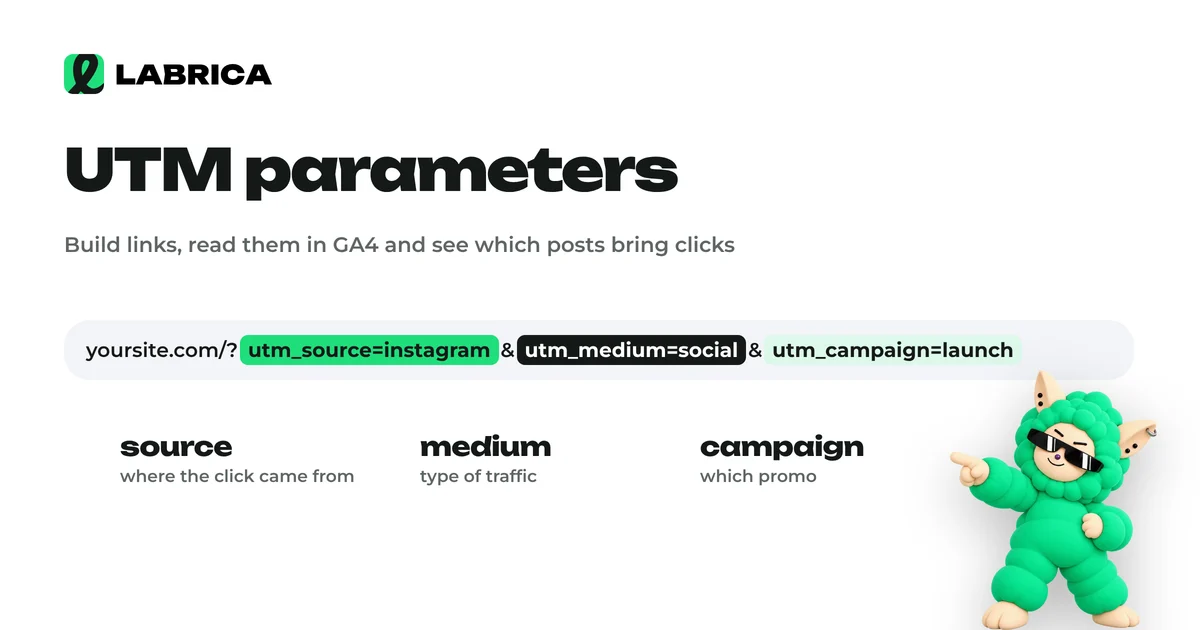
UTM Parameters for Social Media: How to Build Them, Link Examples and Naming Conventions
UTM parameters are tags added to the end of a link that tell your web analytics, such as Google Analytics 4, which social network, campaign and post a visitor came from. For social media you need three required parameters, utm_source, utm_medium and utm_campaign, and utm_content helps you tell individual posts apart. Consistent naming conventions matter most, or your reports turn into chaos.