

How to Use AI for Social Media: A Step-by-Step Guide for Businesses
Using AI for social media means handing the groundwork (ideas, copy, images, scheduling) to AI while you keep strategy, fact checking and the final call. It only works if the AI has a detailed profile of your brand. Without one, it writes average posts that could belong to anyone.

People usually start asking how to use AI for social media when they run out of time for it. There are lots of posts to make and several platforms to cover, and the person in charge is also answering customers or closing sales. AI really does take over most of the routine. But if you just ask it to "write a post for a coffee shop," you'll get copy that would fit any coffee shop in the country.
A working process fits into eight steps. It suits a small business owner who runs the accounts personally and a social media manager with several clients. The process isn't tied to a particular tool, but where a tool saves real time, the guide shows how that works.
What AI does well and what to leave to a person
Before building the process, split responsibilities honestly. Then you won't expect AI to do what it can't, and you won't spend your own time on what it does faster.
| Task | AI | Person |
|---|---|---|
| Ideas and content pillars | Produces dozens of options fast | Picks the ones that match the goals |
| Post drafts | Writes in minutes in the requested tone | Adds real details, checks facts |
| Visuals and carousels | Generates images and slide structure | Rejects weak results, guards the style |
| Scheduling and publishing | Spreads posts across dates, publishes | Decides what has to go out right now |
| Replies to tricky comments | Can suggest a draft | Replies personally, especially to criticism |
| Prices, promotions, deadlines, addresses | Easily gets them wrong | Always checks |
| Strategy and positioning | Helps structure thinking | Makes the decisions |
The main rule: treat AI as a fast, diligent assistant without an editor's accountability. Anything involving money, promises to customers or reputation goes through a person.
Step 1. Build a brand profile
This is the most underrated step, and skipping it is the reason AI posts sound generic. AI writes only as well as it understands who you are.
A brand profile should include:
- Audience: who your customer is, what worries them, how they describe their problem in their own words.
- Products and services: what you sell, how it differs from competitors, what the limits are.
- Tone: formal or casual, whether humor, slang and emoji are fine, how long posts should be.
- Banned and required phrases: for example, a clinic never writes "guaranteed results," and a bakery always mentions that the bread is baked in the morning.
- Key events: a new location opening, seasonal promotions, a product launch.
- Competitors: so you don't repeat their wording and can highlight what's different.
You can collect this by hand in a regular document and paste it at the start of every prompt. In LABRICA, this step is automated: the brand scan studies the company's website and recent social posts, builds the brand profile on its own, and you edit it in the Company section. From then on, LABI AI writes based on that knowledge, so you don't have to explain who you are every time. The brand voice guide covers how to describe tone in detail.
Step 2. Set goals and pick platforms
AI doesn't know why you're on social media. A post for reach and a post for leads are written differently. The first needs a hook and a reason to share. The second needs a clear benefit and a simple next step.
Give each platform one main goal:
- Telegram: retention and trust through expert notes, behind-the-scenes content and news.
- Instagram* and Facebook*: community and sales through promotions, reviews, discussions and giveaways.
- TikTok, YouTube and Instagram Reels: reach and awareness through short videos, carousels and visual stories.
Choose only the platforms you can actually keep up. Two active accounts beat five abandoned ones.
Step 3. Define content pillars and have AI fill them with ideas
Content pillars are recurring formats that make social media predictable. For example: "Question of the week," "A customer mistake, explained," "Behind the scenes," "Roundup," "Review." Once you have pillars, AI generates far more accurate ideas. See content pillars examples for a ready set.
An example prompt for ideas:
You are the social media manager for a car repair shop in a residential neighborhood. Customers own cars that are 5 to 15 years old, value honesty and dislike being pushed into extra repairs. Suggest 10 post ideas for the "Mechanic explains" pillar for one month. For each, give a headline, what the post covers and which customer question it answers.
Notice what the prompt contains: a role, the audience, its pain point, the pillar and the output format. Without these, the answer will be generic. More templates are in the collection of ChatGPT prompts for social media.
Step 4. Write copy in your brand voice
Once ideas are picked, move on to copy. A good habit is to ask for two or three versions with different angles and take the best one.
What to include in the request:
- What the post is about, in one sentence.
- The goal: reach, engagement, clicks or sign-ups.
- The platform and approximate length.
- The tone, if it differs from usual (for example, more serious for an important announcement).
- A link or call to action.
- Facts that must appear in the text: prices, dates, address.
AI prompts for social media posts by business type
Bakery, Telegram:
Write a post for a bakery's Telegram channel. Topic: starting Monday, we have sourdough rye bread, baked every morning by 8:00, limited quantity. Goal: get people to come in the morning. Warm tone, polite, no strings of exclamation marks. Under 600 characters. The first line should make people hungry.
Beauty salon, Facebook:
Write a post for a salon's Facebook page. Topic: why coloring your hair at home often ends with a visit to a colorist. No scare tactics and no criticizing customers. Structure: a familiar situation, two or three reasons, what to do, a gentle invitation to a consultation.
Fitness club, Instagram carousel:
Create a 6-slide carousel: "5 beginner mistakes at the gym." Slide 1 is a strong headline, slides 2 to 6 each cover one mistake and how to fix it, no more than 20 words per slide. Separately, write a caption that invites people to book an intro session.
Real estate agency, Telegram:
Write an expert post from an agent's point of view: which documents to check with the seller of a resale home before paying a deposit. Use a list, no legal jargon, and end by inviting questions in the comments. Don't make guarantees or name specific deal timelines.
For caption structures that work across networks, see social media caption formulas.
Step 5. Add visuals
In most feeds, a post without an image loses. AI covers this too: it generates illustrations, covers, carousel slides and short videos. The hard part is keeping one consistent style so the feed doesn't turn into a set of random pictures.
A few rules:
- Describe your visual style once and use it in every request: colors, lighting, mood, what should and shouldn't be in the frame.
- Don't generate people where customers expect to see your real team or real interior. Shoot behind-the-scenes content on a phone.
- Check any text in images. AI still sometimes distorts letters.
In the LABRICA Studio, images are generated in the brand's feed style, which is defined during the brand scan, and carousels come in 6 or 9 slides. What makes a carousel work is covered in the guide to carousel posts.
Step 6. Check every post before it goes live
Even good AI copy needs a read-through. Keep this short checklist handy.
Pre-post checklist:
- The first line hooks the reader and makes sense without context.
- No factual errors: prices, dates, addresses, names.
- No promises the business can't keep.
- The tone matches the brand profile and stays consistent throughout.
- No corporate filler or clichés like "wide selection" and "personalized approach."
- A clear call to action if the post is meant to convert.
- The link works and is tagged with UTM parameters.
- The image matches the feed style and has no distorted text.
- The post doesn't repeat something from the past few weeks.
If more than one person is involved, add an approval step: the author prepares a draft and a manager or client signs off. Statuses like "draft," "in review" and "approved" end the endless forwarding in messengers. LABRICA also runs a quality check on drafts that flags a weak first line, a missing CTA, clichés and unsupported numbers.
Step 7. Schedule and automate publishing
Publishing by hand to several networks takes a surprising amount of time: copy the text, adapt it, upload the image, check, repeat. A content calendar with auto-publishing fixes this.
How to set the rhythm:
- Once a week, sit down to plan the following week.
- Generate and proofread all posts in one batch. It's faster than doing one a day.
- Place them on the calendar, taking day and time into account.
- Turn on auto-publishing, and during the week only respond to comments.
Frequency varies, but for most small businesses a reasonable starting point is 3 to 5 posts a week on the main platform. Steady beats sporadic. The guide on how often to post on social media covers frequency and timing in detail.
How AI builds a plan with draft posts and places them in the best time slots for your channels is shown in the guide to the AI content calendar. Where the line falls between an AI assistant and an AI agent is explained in AI agents for social media.
Step 8. Watch the numbers and teach AI from the results
The last step closes the loop. Every two to four weeks, look at what worked:
- Which content pillars get more reactions and comments.
- Which posts drive clicks to the website (UTM tags on links make this visible).
- How engagement rate changes by platform.
- Which topics the audience ignores.
Then go back to step 3 and ask AI for new ideas based on these findings: "Posts in the 'Mistake explained' pillar get more comments than roundups. Suggest 8 new topics for explainers." Over time AI gets more accurate because you give it feedback instead of starting from a blank page.
What a week of AI-assisted social media looks like
To keep this practical, here's a sample week for one person running two social accounts for a small company.
| Day | What you do | Attention needed |
|---|---|---|
| Monday | Review last week's analytics, pick topics | A little |
| Tuesday | Generate and edit copy and visuals for the week ahead | The main work |
| Wednesday | Approvals if needed, place posts on the calendar | A little |
| Thursday and Friday | Reply to comments, post timely content | Throughout the day |
| Weekend | Posts go out automatically | Only urgent responses |
The biggest saving here comes from losing the daily "what should we post today" question, more than from AI writing faster than a person.
Common mistakes when using AI for social media
- Publishing without proofreading. One post with the wrong price or someone else's address costs more than the time saved.
- Giving no context. A short prompt gets a shallow idea. A brand profile solves this once.
- The same text everywhere. People read Telegram, Facebook and Instagram differently. Ask AI to adapt each post to its platform.
- Dropping real-life content. AI won't replace team photos, real reviews and behind-the-scenes shots. The best feeds combine both.
- No feedback loop. If you skip analytics, AI will keep suggesting what doesn't work.
*Instagram, Facebook and Threads belong to Meta Platforms Inc., which is designated an extremist organization in the Russian Federation.
Frequently asked questions
Can you hand social media over to AI completely?
The groundwork, yes: ideas, copy, visuals and scheduling. Final fact checks, replies to difficult comments and strategic decisions should stay with a person.
Will followers notice that posts are written by AI?
They will if the copy is generic and lacks detail. When AI works from a brand profile and you add real stories, numbers from your own work and photos, the posts read as if the team wrote them.
How much time does social media take with AI?
The main work usually fits into one or two sessions a week: planning, generating and proofreading a batch of posts. The rest of the time goes to replying to comments and timely posts.
How is running social media in LABRICA different from using a regular chatbot?
A chatbot starts from scratch every time. LABRICA stores the brand profile, generates posts, visuals and carousels in that voice, places them on a content calendar and publishes them to connected social networks automatically. Team approvals and analytics are built in. You can try it free.
Which social network should you start with if resources are limited?
The one where your audience already is and where it's easiest to bring customers. For many local businesses that's Instagram or Telegram. For visual niches, it's the short-video platforms.
Run your social media with LABRICA
Ideas, posts in your brand voice, images, a content calendar and auto-publishing to every network in one window. No card required to start.
- Brand scan of your site and accounts
- Posts and carousels in your brand voice
- Auto-posting to Instagram*, TikTok, X and more
- Analytics and UTM links

Keep reading
 AI for social media
ChatGPT Prompts for Social Media: 35 Ready-to-Use Prompts by Task
A good ChatGPT prompt for social media has five parts, which are role, brand context, task, format and constraints. Below are 35 ready-to-use prompts grouped by task, with placeholders in square brackets. Fill in your business details and you get a draft that needs editing instead of a full rewrite.
 AI for social media
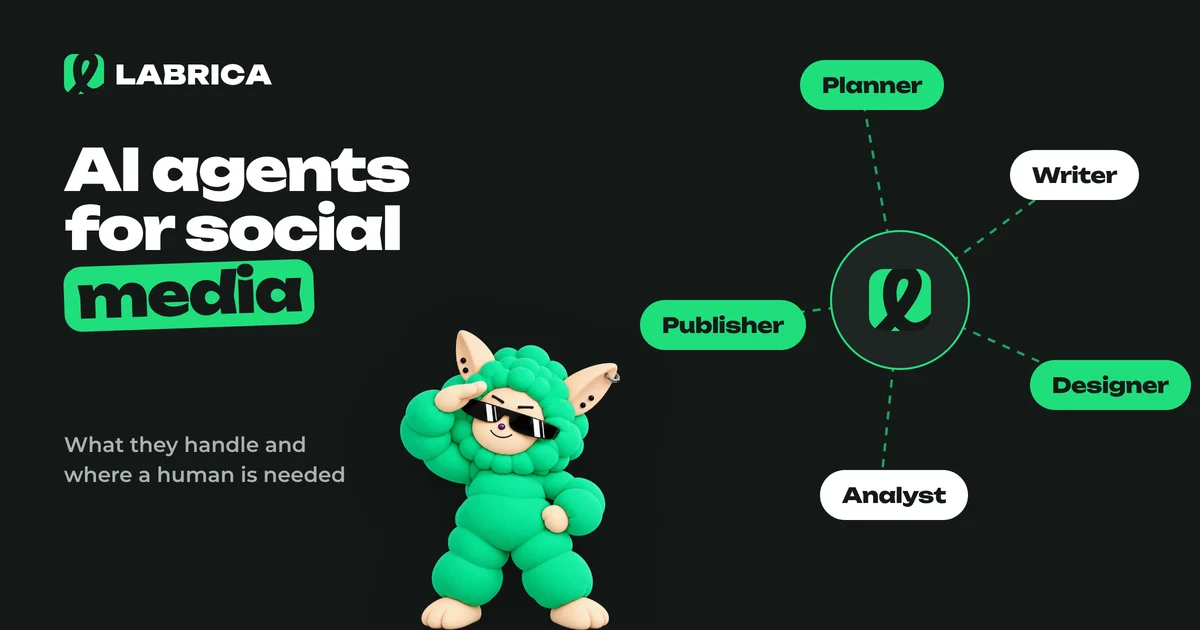
AI Agents for Social Media: What They Handle on Their Own, Where a Human Is Needed, and How to Build a Virtual Content Team
An AI agent for social media is a system that works through a chain of steps on its own, following rules you set: it analyzes your accounts, proposes a plan, writes drafts, prepares visuals, schedules posts and reports on results. It handles repetitive work well. Business facts, approvals, replies to customers and crisis situations should stay with a human.
 Content creation
Social Media Captions: Formulas, Short Captions for Photos and 50 Examples
A good social media caption does three jobs. It adds what the photo can't show, gives people a reason to stop, and points to the next step. Short captions suit mood photos, longer ones suit useful and sales posts. Three formulas cover most cases: "detail + emotion", "question + answer" and "problem + solution + call to action". Below are 50 caption examples for businesses and personal accounts.