

AI Agents for Social Media: What They Handle on Their Own, Where a Human Is Needed, and How to Build a Virtual Content Team
An AI agent for social media is a system that works through a chain of steps on its own, following rules you set: it analyzes your accounts, proposes a plan, writes drafts, prepares visuals, schedules posts and reports on results. It handles repetitive work well. Business facts, approvals, replies to customers and crisis situations should stay with a human.

Over the past year, the word "agent" has been attached to almost every AI product. A chatbot with a "generate post" button is sometimes called an agent too. That makes it hard for a business owner to tell what they are actually buying: a helper that writes text when asked, or a system that runs part of the social media work by itself.
This guide explains how AI agents for social media differ from assistants, which steps of the work an agent can really take without you, where it needs a stop sign, and how to set up a "virtual content team" of several agents without losing control of the brand.
How is an AI agent different from a chatbot or an assistant?
The difference is who owns the process. A chatbot answers one message. An assistant remembers the conversation and your brand, but still waits for your command at every step. An agent receives a goal and a set of rules, breaks the job into steps, uses tools (a calendar, an image generator, analytics) and comes back to you with a result or a question.
| Chatbot | AI assistant | AI agent | |
|---|---|---|---|
| What starts it | Your message | Your task in a chat | A goal, rules, a schedule or an event |
| What it remembers | The current chat | Your brand, past posts, your edits | Your brand, plan, publishing history and results |
| Steps it takes alone | One answer | One or two: text, image | A chain: analysis, plan, drafts, visuals, publishing, report |
| Uses tools | No | Sometimes | Yes: calendar, generation, publishing, analytics |
| Where a human is needed | Every step | Every decision | At the start (rules) and at checkpoints |
| Cost of a mistake | A bad draft you won't use | A bad draft you might miss | A published post your customers will see |
The last row matters most. The more steps you hand to an agent, the more expensive its mistakes become, because fewer people stand between the error and your followers.
If you care more about the role on the team than the technology, read the guide to AI for social media marketing. This article focuses on how the agent chain is built and how to check it.
What an AI social media agent can do on its own
A typical agent workflow in social media has six links. Each one has things the agent does reliably and places where it tends to slip.
- Analysis. The agent reviews your past posts, your stats and competitor accounts: which topics get reactions, which days and hours work, which formats underperform. Weak spot: it sees the numbers but not the reasons. A post may have taken off because a large account shared it.
- Plan. Based on the analysis and your goals, the agent proposes topics and lays them out in a calendar with content pillars and formats. Weak spot: it doesn't know about a supply delay, a renovation or a new hire until you tell it.
- Draft. It writes posts in your brand voice, with a hook, a structure and a call to action, in versions for each platform. Weak spot: it confidently makes up details such as prices, dates, names or "20 years in business."
- Visuals. It generates images, carousels, covers and short videos in the style of your feed. Weak spot: text inside images, hands, and accurate depictions of your real product.
- Rule-based publishing. It schedules approved posts and sends them to every connected network at the right time. Weak spot: it doesn't know there was a tragedy in your city today, or that your power is out and you can't take orders.
- Report. It gathers reach, reactions, engagement and clicks, shows the best and worst posts and suggests changes. Weak spot: it confuses correlation with cause and may recommend "more discount posts" just because discounts always get clicks.
Here is an example with a fictional coffee shop and made-up numbers. On Monday the agent reviews last month's stats and sees that posts about new drinks get noticeably more reactions than posts about coffee beans. It proposes four topics for the week: "Pumpkin spice latte is back, starting Thursday," a poll on which syrup to add to the fall menu, a short video of a barista steaming milk for latte art, and a carousel "5 drinks under $5." It writes the captions, prepares images, schedules posts for 9:00 a.m. and 6:00 p.m., and sends a report on Friday. The owner spends 20 minutes on all of it: checks dates and prices, removes a drink that has sold out, and approves the rest.
Where a human is still required
Four areas should not be handed to an agent at any level of trust.
- Business facts. Prices, deadlines, ingredients, addresses, promo terms, promised results. The agent pulls them from your brand profile and data, and if there is a gap, it fills it with a plausible invention. The rule is simple: anything that can be checked against a receipt or a contract gets checked by a person.
- Approvals. Ads and sales posts, company news, anything with legal or disclosure requirements. Approval can be set up so it doesn't slow the flow: clear statuses and one named approver per content type.
- Replies to customers. Comments, direct messages, reviews. Even when the agent can draft a reply, a person should send it, someone who understands that behind the question there may be an order, a complaint or a loyal customer.
- Crises and sensitive topics. Negative feedback, a botched order, tragic events, politics. You need a person who can pause the schedule and say the right words.
Risks of AI agents and how to reduce them
Hallucinations
Language models tend to fill gaps with plausible text. In a post, that looks like a promotion that doesn't exist, a wrong address or a fake review. What helps:
- keep facts in a single brand profile and update it when prices and terms change;
- forbid the agent from writing numbers that aren't in the data, and have it use placeholders like [price] instead;
- check everything with numbers, dates and promises before it goes live.
Tone and repetition
An agent learns your voice quickly and starts repeating itself just as quickly: the same opening lines, the same phrases, three questions at the end of every post. Once a week, scroll the whole feed instead of reading post by post, and add the patterns you notice to a list of banned phrases. The guide to brand voice shows how to describe your voice so both people and AI can follow it.
Account access and security
An agent that publishes gets access to your social accounts. Minimum rules:
- grant only the permissions needed to publish. For example, a bot in a Telegram channel needs the right to post messages, not to manage members;
- connect accounts through the platform's official authorization, never by sharing a password;
- once a quarter, review the list of admins and connected apps and remove what you don't need;
- name one person who can pause all publishing within a minute.
Bad timing
A schedule doesn't read the news. A post saying "Perfect weather for a walk!" on the day of a hurricane looks worse than no post at all. Write down stop conditions in advance: which events put everything on hold, and who makes the call.
A virtual content team: how to split roles between agents
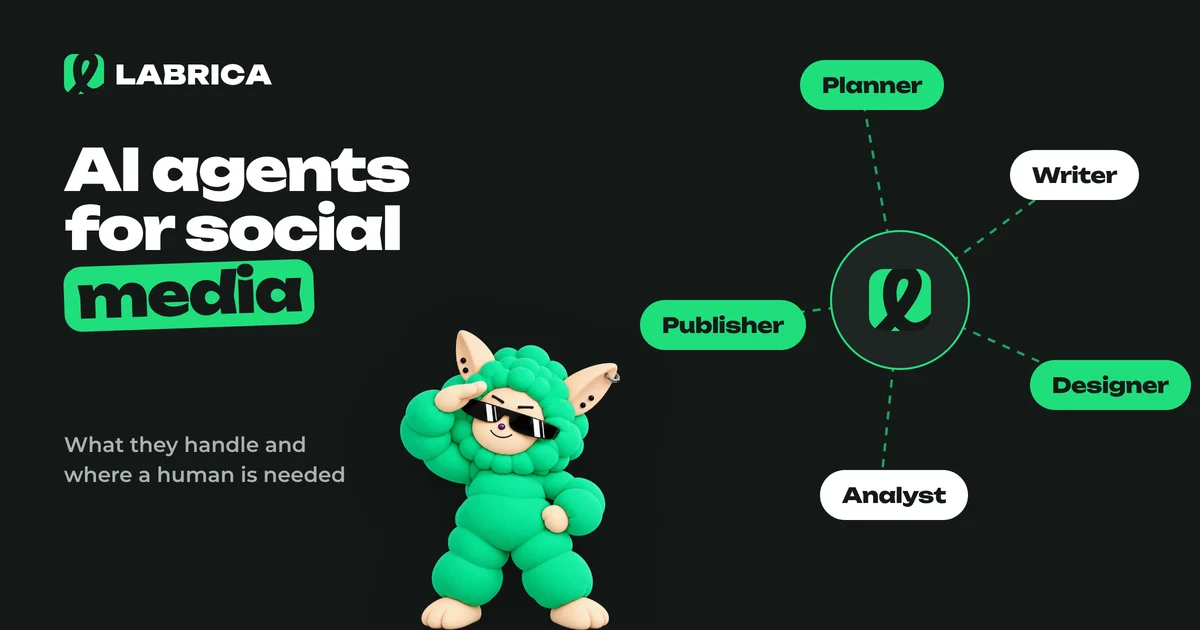
It helps to think of the system as a small newsroom where each agent has a role and the human is the editor-in-chief. Even if it is technically one platform, splitting it into roles makes it clear which rules to write for whom and where to put checkpoints.
| Role | What it does | Input | Output | Human checkpoint |
|---|---|---|---|---|
| Analyst | Reviews stats for your and competitor accounts | Posts, numbers, competitors | What works and what doesn't | Monthly: do you agree with the conclusions |
| Strategist and planner | Proposes topics and assigns dates | Monthly goals, content pillars, events | A weekly or monthly content calendar | Approving the plan |
| Copywriter | Writes posts in the brand voice | Topic, goal, brand profile | Drafts for each platform | Checking facts and tone |
| Designer | Makes images, carousels, videos | Text, feed style | Visuals for the post | Checking the product and any text in the image |
| Publisher | Publishes on schedule | Approved posts | Live posts | Pausing on stop conditions |
| Report editor | Summarizes results and suggests changes | Stats for the period | A report with recommendations | Deciding what to change |
The editor-in-chief is always a human. The job comes down to three things: set the rules, approve the plan and handle exceptions. The agents do the rest.
Here is how it might look at a fictional auto repair shop. Once a month the owner approves a plan of 12 posts. Once a week, in 15 minutes, he reviews drafts that mention tire service prices, and he writes a post himself only when something real happens, like a rare car coming in for repair. Replies in direct messages stay with the front desk manager.
How to launch an AI agent for social media safely
- Describe the brand. Audience, products, prices, tone, banned topics and phrases, key dates. This is the agent's main source of facts.
- Pick one stream. For example, educational posts on Telegram three times a week. Don't launch everything at once.
- Drafts only for the first two weeks. The agent prepares, you edit and publish. Note what you fix most often and turn it into rules.
- Turn on the plan and schedule with approval. The agent places posts in the calendar, but each one goes through "approved."
- Release a proven content pillar. If it barely needs edits, let the agent publish it without approval. Keep promotions and news under manual control.
- Read the report weekly. Look beyond reach and check whether the feed has become repetitive. The guide to engagement rate explains how to read the key metric.
How the agent workflow works in LABRICA
In LABRICA, many buttons are backed by a small team of AI roles rather than a single model, much like the virtual newsroom in the table above.
- Posts. A writer drafts several versions with different angles. Reviewers check them for brand voice, clarity and facts, and a final editor polishes the best one. Numbers that aren't among the company's confirmed facts are flagged for review.
- Campaigns. You describe the idea and pick dates, then a chain takes over: a strategist writes a brief, a researcher looks for relevant events on those dates, several writers pitch concepts, a creative director scores them and picks the best, a writer produces the series of posts, and an editor reviews it. An art director sets one visual style for the images, and a photo editor checks each one and sends rejects back for a redo.
- Content calendar. Posts go into the time slots when your channels usually get more reach, and the text is adjusted to the length limits of each platform.
- Memory. The brand scan builds a company profile, and LABI AI turns your team's recurring edits into rules for future posts.
Autopilot (beta) prepares a week of content by your rules in one of several modes: manual, with approval, or full cycle. It doesn't reply to comments and doesn't manage ad accounts. Those tasks stay with people. The statuses "draft → in review → approved → scheduled" let you put a checkpoint wherever you need one. See the LABRICA home page for features and pricing for plans.
Checklist for choosing an AI agent for social media
- Brand memory. Can you describe your audience, products, tone and restrictions once, and does the agent apply them to every post?
- Learning from edits. Does the output change after your corrections, or do you fix the same things every week?
- Your platforms. Does it publish where your audience is, and can you adjust the text for each network?
- Checkpoints. Are there statuses, roles and approvals? Can you block publishing without sign-off for specific content pillars?
- Pause. How fast can the whole schedule be stopped?
- Access rights. Official authorization, minimal permissions, a clear list of connected accounts.
- Reporting. Can you see what went out, what worked and why the agent suggests changes?
- Honesty about limits. The service says plainly what the agent doesn't do instead of promising to "replace your whole social media team."
If you are comparing several tools, start with the overview of how to use AI for social media and run the same short test for each candidate.
Frequently asked questions
What is an AI agent for social media in simple terms?
It is an AI system that works through several steps of social media work on its own (analysis, planning, writing, visuals, scheduled publishing and reporting) following rules a person has set. A chatbot answers one request, while an agent runs a process.
Can an AI agent run social media completely without people?
For routine work, largely yes. Business facts, ad approvals, replies to customers and crises are safer left to a human, otherwise an agent's mistake lands straight in your feed.
What is a virtual content team?
It is a way of splitting work between several AI roles (analyst, planner, copywriter, designer, publisher) under the control of a human acting as editor-in-chief. The human sets the rules, approves the plan and handles exceptions.
How do I protect my accounts if an AI agent has access?
Connect accounts through official authorization, grant only the permissions needed to publish, review connected apps regularly and keep a way to pause the entire schedule at hand.
Does LABRICA have an AI agent that publishes on its own?
LABRICA has Autopilot (beta). It prepares and publishes content by your rules, including in a mode with approval. Posts, campaigns and content calendars are produced by chains of AI roles (writer, reviewers, editor, art director), and any post can be checked before it goes live.
Run your social media with LABRICA
Ideas, posts in your brand voice, images, a content calendar and auto-publishing to every network in one window. No card required to start.
- Brand scan of your site and accounts
- Posts and carousels in your brand voice
- Auto-posting to Instagram*, TikTok, X and more
- Analytics and UTM links

Keep reading
 AI for social media
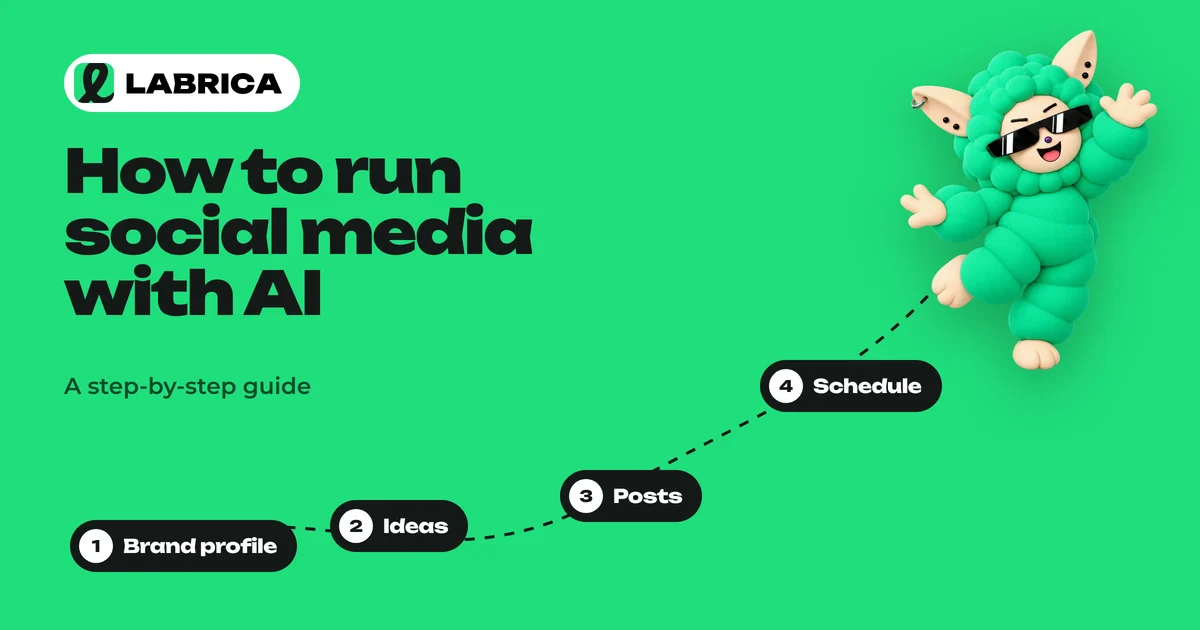
How to Use AI for Social Media: A Step-by-Step Guide for Businesses
Using AI for social media means handing the groundwork (ideas, copy, images, scheduling) to AI while you keep strategy, fact checking and the final call. It only works if the AI has a detailed profile of your brand. Without one, it writes average posts that could belong to anyone.
 AI for social media
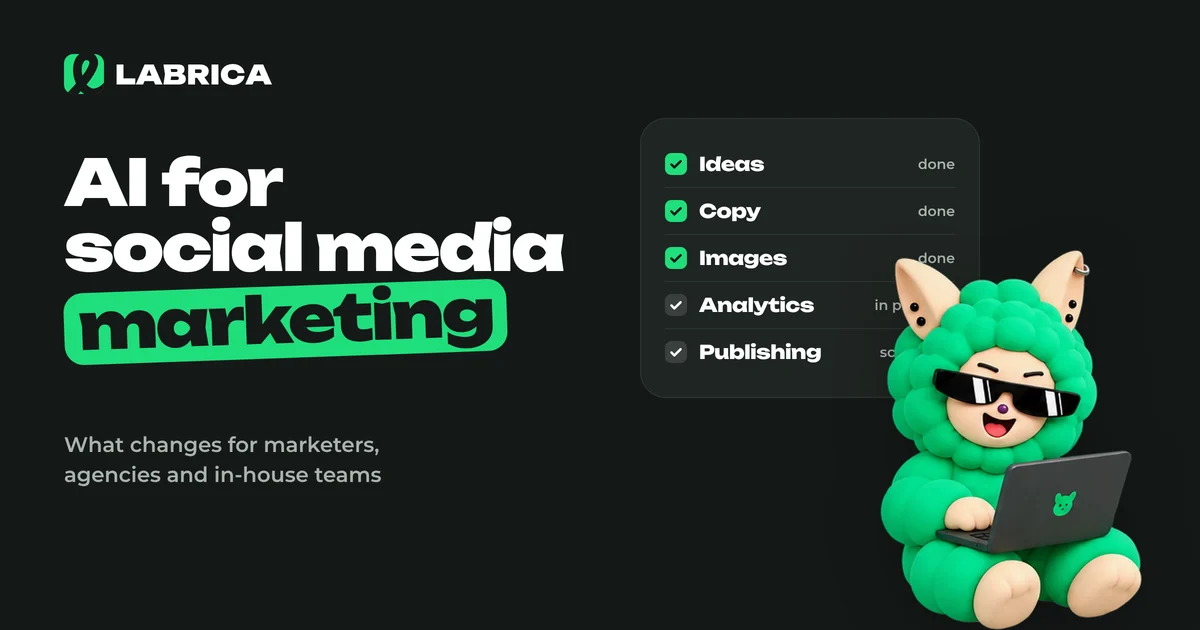
AI for Social Media Marketing: How It Changes the Work of Marketers, Teams and Agencies
AI for social media marketing helps at every stage of the work, from audience and competitor research to copy, visuals, scheduling and reports. It takes routine tasks off the social media manager's plate, which leaves more time for strategy, client communication and the real-life content that AI can't produce.
 Analytics
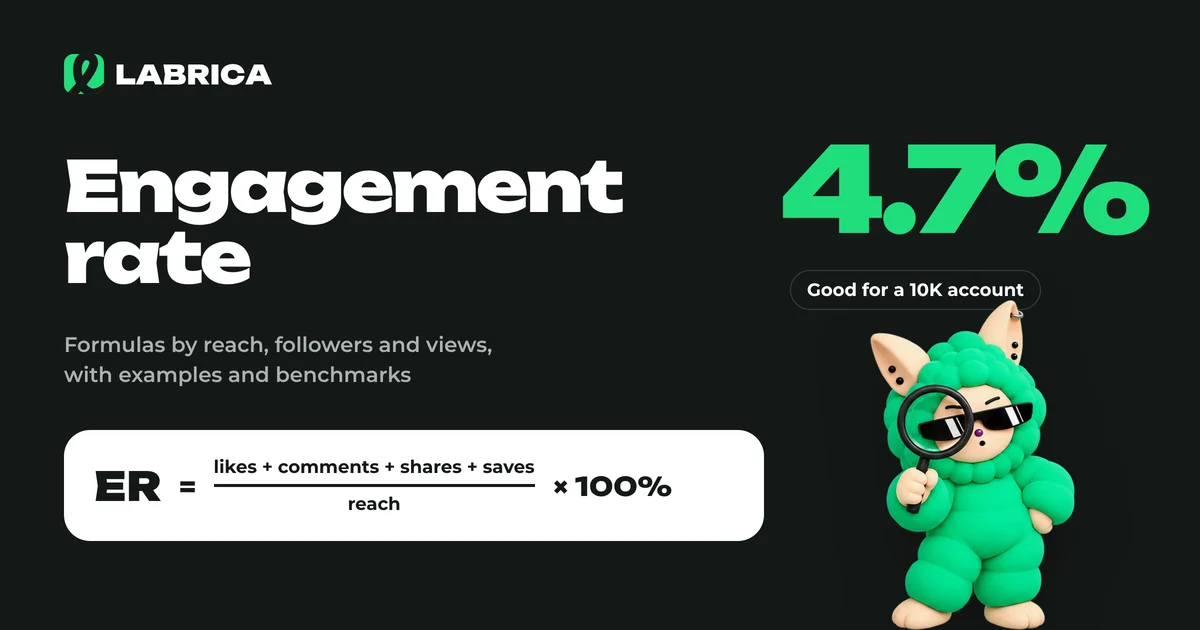
What Is Engagement Rate and How to Calculate It: Engagement Rate Formulas with Examples
Engagement rate (ER) shows what share of your audience interacted with a piece of content. It's calculated as the sum of reactions, comments, shares and saves divided by reach, followers or views, multiplied by 100%. The result depends on which base you choose, so pick one formula and stick with it.