

AI Reels Generator: How to Make Reels with AI, from Script and Hook to Editing
An AI reels generator helps at every stage of a short vertical video: coming up with the idea, writing a script with a hook, generating missing shots, voiceover and captions. You should still film real footage, because AI works best as a scriptwriter and a supplement to filming rather than a full replacement. The format is vertical 9:16, and the first seconds matter most.

An AI reels generator is rarely one magic "make a viral video" button. It's a set of helpers at different stages. One model writes the script, another generates video clips, a third does voiceover or subtitles. Once you know which stage to hand to AI and which to keep for yourself, short video production gets several times faster.
"Reels" here is a general name for short vertical videos. Instagram* calls them Reels, YouTube calls them Shorts, and on TikTok it's the main format. The principles are the same.
What AI can and can't do in making reels
| Stage | What AI does | What's better done yourself |
|---|---|---|
| Idea | Suggests dozens of topics for your niche and goal | Pick the ones that match what really happens in your business |
| Script | Writes the hook, shot list and voiceover text | Check it can actually be filmed and sounds like you |
| Footage | Generates short video clips and animates photos | Film the product, the process, the people: anything that has to be real |
| Voiceover | Synthesizes a voice from text | Record the owner or a specialist if the video is about trust |
| Subtitles | Transcribes speech and creates captions | Check names and terms for errors |
| Editing | Suggests order, pace, transitions | Final assembly and checking the rhythm |
| Caption | Writes the text and call to action | Match it against your brand voice |
The main limitation: generated video is bad at showing your specific product. AI will draw "a beautiful cake," but not your cake with your frosting. So for products, interiors and the people in your business, real footage stays the foundation, and generation covers backgrounds, transitions, illustrations of ideas and intros.
What makes a reel people watch to the end
A short video rests on three parts.
The hook is the first seconds. Its job is to stop the thumb scrolling the feed. It can be an unexpected shot, a specific problem, a promised result or a question people want answered.
The body is what the viewer stayed for. One idea, delivered fast: a process, an answer, a comparison, a mini story. Something changes every few seconds: the shot, the angle, the on-screen text.
The ending is a call to action or a hook back. "Save this so you don't forget," "Tell us in the comments…," "Book via the link in bio." An ending that loops back to the beginning works well, because people want to rewatch.
Hook formulas you can hand to AI
- The mistake: "You're doing this wrong if…"
- Result first: show the outcome, then how you got there.
- A client's question: "Someone asked us: can you…"
- Contrast: "What everyone does vs what we do."
- Behind the scenes: "What happens in a bakery at 5 a.m."
- A number: "Three signs that…", only if there really are three points inside.
Ask AI to generate 10 hook options per formula and pick 2 or 3 to test.
How to make reels with AI: step by step
- Set the goal of the video. Reach a new audience, build trust in your specialists, sell a specific service, drive engagement. The goal shapes the hook and the ending.
- Generate ideas. Give AI your niche, audience and goal, and ask for 15 to 20 ideas with a one-line hook each.
- Write a script with a shot list. Second by second: what's on screen, what's heard, what text appears.
- Split shots into "film" and "generate." Product, people, process: you film. Backgrounds, illustrations, transitions, abstract visuals: you generate.
- Film real footage vertically. Shoot 9:16 from the start, phone upright, good light, several takes.
- Generate the missing clips. Write a prompt describing the scene, camera movement, light and style.
- Edit. Follow the script order, keep the pace fast, add on-screen text and subtitles.
- Add sound. Music, voiceover or a live voice. Make sure you have rights to the music.
- Write the caption and choose a cover.
- Schedule the post to the right platforms.
Reels script examples for different businesses
The timings below are a guide for a video of about 30 seconds. Adjust them to your pace. For more ready templates, see reels script ideas.
Coffee shop: "How we choose our beans"
| Time | Shot | On-screen text / voice |
|---|---|---|
| 0–2 s | Close-up: barista smells a handful of beans and grimaces | "We didn't take these beans" |
| 2–8 s | Three cups on the table, a tasting | "Every month we try several options" |
| 8–18 s | Barista explains, gesturing | "This one's sour, this one's bitter, and this one's a yes" |
| 18–25 s | Pours coffee for a guest | "Now it's in our espresso" |
| 25–30 s | Cup on the counter, logo | "Come try it and tell us what you think" |
Car repair shop: "What we found under the car"
| Time | Shot | On-screen text / voice |
|---|---|---|
| 0–2 s | Mechanic holds up a worn part | "The client came in for an oil change" |
| 2–10 s | Car on the lift, flashlight | "And we noticed this" |
| 10–20 s | Old part next to the new one | "If you don't replace it, in a couple of months it's a tow truck" |
| 20–28 s | Mechanic installs the part | "We always show what we replace and why" |
| 28–30 s | Shop sign | "Book a diagnostic via the link in bio" |
Hair salon: "Before and after, no filters"
| Time | Shot | On-screen text / voice |
|---|---|---|
| 0–2 s | The result: hair in the light | "This used to be a patchy orange mess" |
| 2–5 s | The "before" shot | "Like this" |
| 5–20 s | Sped-up process: application, rinse, styling | Step text: "consultation → toning → treatment" |
| 20–28 s | Final result from different angles | "Five hours of Maria's work" |
| 28–30 s | Stylist waves at the camera | "November openings via the link" |
Fitness club: "The squat mistake"
| Time | Shot | On-screen text / voice |
|---|---|---|
| 0–2 s | Trainer squats incorrectly, red cross | "If your knees go like this, stop" |
| 2–12 s | Slow-motion replay, arrows on screen | "What's happening to the joint" |
| 12–22 s | Correct version, green check mark | "How to do it: three cues" |
| 22–30 s | Trainer to camera | "Save this and check yourself at your next workout" |
Generated clips fit these videos as an intro, a background for text or an illustration of an idea, such as an animated diagram of the knee joint in the fitness video.
AI prompts for reels scripts
Ideas:
You're a short-form vertical video creator. Business: [niche, city]. Audience: [who]. Goal of the videos: [reach / trust / bookings]. Suggest 15 reel ideas that can be filmed on a phone without actors. For each: a one-sentence hook (up to 8 words), what we show, the final call to action.
Script with a shot list:
Write a 30-second reel script for the idea "[idea]". Table format: time, what's on screen, on-screen text, voiceover. The first 2 seconds are a hook with no greeting and no company name. Change the shot every 3 to 5 seconds. End with one call to action. Mark which shots we film live and which can be generated.
Prompt for generating a video clip:
Vertical video 9:16. Close-up: steam rising from a cappuccino on a wooden counter, soft morning light from a window on the left, the camera slowly pushes in. Warm tones, shallow depth of field, realistic style, no text in frame.
A good video prompt describes the subject, the action, camera movement, light, style and format. More working prompts are in the collection of ChatGPT prompts for social media, and details on generation itself are in the guide to the AI video generator for social media.
Editing: what matters in short video
- Pace. Pauses that go unnoticed in a long video feel like a dead spot in a short one. Cut everything extra.
- On-screen text. Many people watch with the sound off. The key idea has to be readable on screen.
- Subtitles. Auto-generated subtitles save time, but check names, brand names and terms. That's where most errors are.
- Sound. Music sets the rhythm but shouldn't drown out the voice. Use tracks you have rights to, or the platform's own library.
- First frame. It often becomes the preview. Make sure it makes sense without sound or context.
- Loop. If the last frame flows into the first, people rewatch more often.
Platform requirements for vertical video
Platforms change exact length and file size limits from time to time, so check their help pages. Stable rules that work everywhere:
- 9:16, vertical. Film and generate in vertical from the start instead of cropping horizontal video.
- Safe zones. Platforms overlay the interface at the top and bottom of the screen: account name, caption, buttons on the right. Keep important text and faces away from the edges.
- Good resolution. Platforms show low-quality video less, and viewers scroll past.
- Cover. Not every network shows it in the feed, but on the profile and in search the cover decides whether people tap.
- Keep it short. Reels are a short format. If the idea doesn't fit, a series of two videos beats one that drags.
- Rights to music and images. Someone else's track or footage can get the sound muted or the video taken down.
How to build reels into your regular content
The most common problem isn't "how to make one video" but "how to make them every week." Three techniques help.
A filming day. Once every week or two, shoot material for several videos at once from ready scripts.
Video pillars. "Mistake of the week," "Client question," "Behind the scenes," "Before and after." A pillar removes the agony of picking a topic. The guide to content pillars shows how to build a set.
Scheduling. Videos go into the content calendar alongside other posts, so they don't all come out on one day followed by a month of silence. The AI content calendar guide covers planning in more detail.
In LABRICA, LABI AI suggests post ideas for your specific business and generates short videos, and the content calendar puts finished videos on a date and time and publishes them automatically, including to Instagram, YouTube and TikTok. Analytics then shows views, reactions and engagement for each video, so you can see which pillars to continue.
Making reel covers with AI
The cover is what shows in the profile grid and in collections before the video plays. The requirements are simple: a large subject, a two-to-four-word headline, one style for every video in a pillar. AI is handy because it makes a series of covers in one system: set the palette, font and headline position once, then change only the frame and the text. The headline on the cover should repeat the video's hook rather than the pillar name. "Three mistakes when buying a resale home" works better than "Realtor tips #12." The guide to the AI image generator for social media explains how to keep visuals in one brand style.
How to make 30 reels a month without a studio
Thirty videos a month isn't thirty separate shoots. It's a pipeline:
- One idea session at the start of the month. An AI script generator suggests 40 to 50 topics across your pillars, and you keep 30.
- Scripts in a batch. For each: a hook, three or four scenes, subtitle text and the post caption.
- Two filming days. Shoot everything live (people, process, product) from a shot list, without directing on the spot.
- Generate what's hard to film. Atmospheric scenes, announcements, step-by-step explanations.
- Edit from a template. The same transitions, subtitle font and covers.
- Publish on schedule. One video a day to all platforms at once.
In LABRICA, scripts and captions are written in your brand voice, short videos are generated from a description of the idea, and the content calendar publishes them on schedule.
Pre-publish checklist for reels
- The video is vertical, 9:16.
- There's a hook in the first two seconds, with no greeting.
- The shot or on-screen text changes every few seconds.
- The main idea is clear without sound.
- Subtitles are checked for errors.
- Important text isn't covered by the platform interface.
- The music is licensed for use.
- There's a cover and a caption with one call to action.
- Generated footage doesn't pass itself off as your real product or real clients.
*Instagram, Facebook and Threads belong to Meta Platforms Inc., which is designated an extremist organization in the Russian Federation.
Frequently asked questions
Can you make a reel entirely with AI?
Yes, for illustration videos, animated tips and atmospheric intros. For reels about your specific product, your specialists and your process, it's better to combine real footage with generated clips.
How long should a reel be?
As long as one idea needs without pauses. For most business videos that's a short format under a minute. Check current maximum limits in each platform's help center.
What matters more in a reel, visuals or the script?
The script. A beautiful video without a hook or an idea doesn't get watched to the end, while a simple phone video with a strong opening and clear value performs consistently.
Do I need to label a video as AI-generated?
Follow each platform's rules: some require labeling realistic generated content. In any case, don't present generated people as real clients or employees.
Can I make a video in LABRICA and schedule it right away?
Yes. You can generate a short video in LABRICA and then put it in the content calendar for the date and time you need, and it publishes to your connected social networks automatically. You can try it free.
Run your social media with LABRICA
Ideas, posts in your brand voice, images, a content calendar and auto-publishing to every network in one window. No card required to start.
- Brand scan of your site and accounts
- Posts and carousels in your brand voice
- Auto-posting to Instagram*, TikTok, X and more
- Analytics and UTM links

Keep reading
 Content creation
AI Video Generator for Social Media: Which Videos to Make with AI and How to Write Video Prompts
An AI video generator for social media works best for short mood clips, animated photos, backgrounds, intros and illustrations of ideas. To get something usable for a business, the prompt should describe the subject, action, camera, light, style and frame format. Videos about a specific product and real people are still more reliable to film live and then supplement with generated shots.
 Content creation
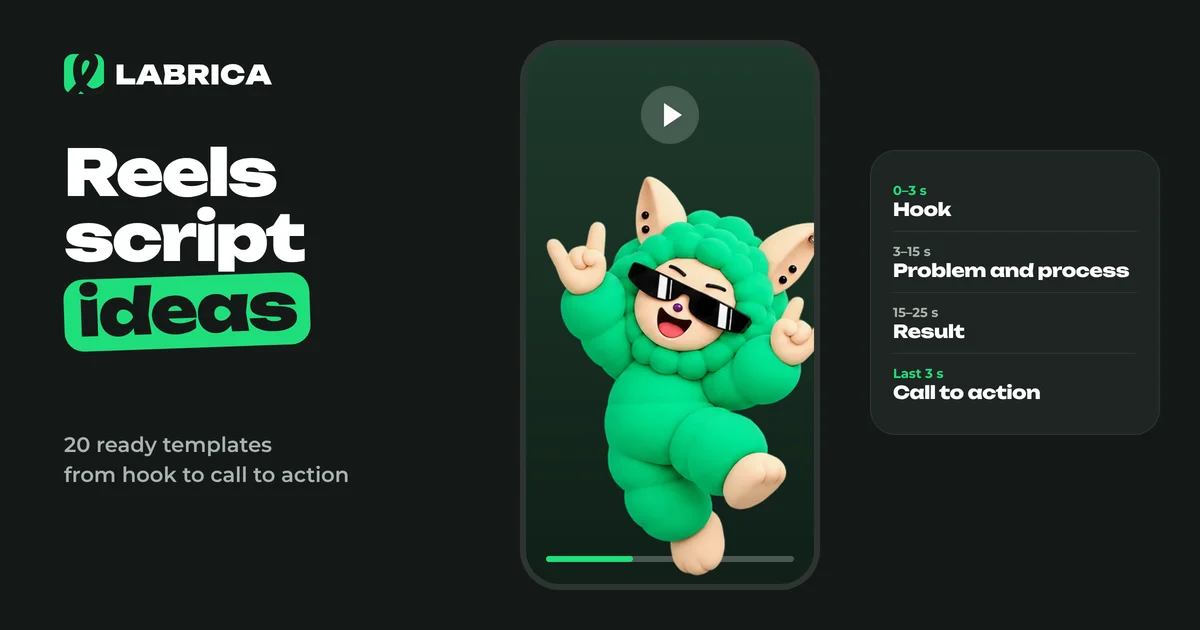
Reels Script Ideas: How a Short Video Works and 20 Ready-Made Templates for Business
A Reels script rests on four parts. A hook in the first seconds tells people why to watch. Then comes the body with one idea or process, a turn or result, and a short call to action. For businesses, the strongest templates are "before and after", "process in a minute", "mistake and the right way", "answering a customer question" and "a day in the life". The easiest way to write a script is a table with the shot, what happens in it and the on-screen text.
 Content creation
AI Image Generator for Social Media Posts: How to Get Images That Match Your Brand Style
An AI image generator for social media posts works well when it gets a creative brief instead of a topic: the medium, the scene, the lighting, a composition with room for a headline, your brand palette and a list of exclusions. For a consistent feed, give it references, 3 to 5 typical images from your account. Add text to the image separately, and photograph real people and real products whenever you can.